Tackle Football Playmaker X
- 4.5
- Rating
- 100.00K
- Installs
- Free
- Price

 Analysis by App-foxy
I approached Tackle Football Playmaker X as a practical coaching tool rather than a flashy sports app. Its purpose is clear: help tackle-football coaches design plays, organize a playbook, and prepare material that can move from a phone or tablet into actual practice. That focus makes it more specialized than the typical sports app, and in my experience, that specialization is both its biggest strength and its main limitation.
The app is free to install, carries an Everyone age rating, and comes from True Partners, LLC. It has built a solid audience for a niche coaching product, with over one hundred thousand installs and a 4.5 average from a few hundred ratings. Those figures suggest that it has found a useful place among coaches, players, and football-minded users who need more than scores or training reminders.
How the current version fits into a real coaching workflow
I judge a coaching app by how well it fits between the last practice and the next one, not just by how quickly it lets me draw. In this section, I focus on choosing a small set of plays, checking that each version suits its intended use, and keeping experimental edits from becoming the team’s assumed reference. That workflow also makes it easier to coordinate a shared device without confusing drafts with settled material.
You May Also Like

 Blood Strike: 2.5 Anniversary
Blood Strike’s Loadouts Turn Every Drop Into a Tactical Gamble
A close look at Blood Strike’s custom loadouts: how fast access to signature weapons reshapes its battle royale rhythm, rewards preparation, and narrows the gap between fights.

 Pandora - Music & Podcasts
Pandora’s Music Is Easy to Start, but Harder to Recover
Pandora’s strength is its low-effort path from a seed to a station. Its weak spot is how much confidence it asks you to place in connection, setup, and quiet recovery.

 8 Ball Pool
 Is Built on Rivalries, Rematches, and Routine
A close look at the rivalries, rematches, shared routines, and unanswered safety questions that turn a quick pool match into a persistent mobile community.

 Samsung Music
’s Quiet Strength Is Playing What You Already Own
Its reach comes less from spectacle than from dependable access to a personal library. That simplicity is both the app’s strongest retention engine and its ceiling.

 AccuWeather: Weather Radar
AccuWeather Review: A Quick, Clear Forecast for Everyday Decisions
For everyday plans, the best forecast is the one you can understand quickly. AccuWeather makes rain timing, radar, and local conditions easy to act on, with a few trade-offs.

 Hill Climb Racing
Why Hill Climb Racing Still Turns Crashes Into One More Run
A tiny car, a bumpy hill and one more upgrade: Hill Climb Racing keeps resurfacing because its simple chaos makes every near-miss feel personal.
More From Our News Desk
View All News


A focused workspace for building football ideas
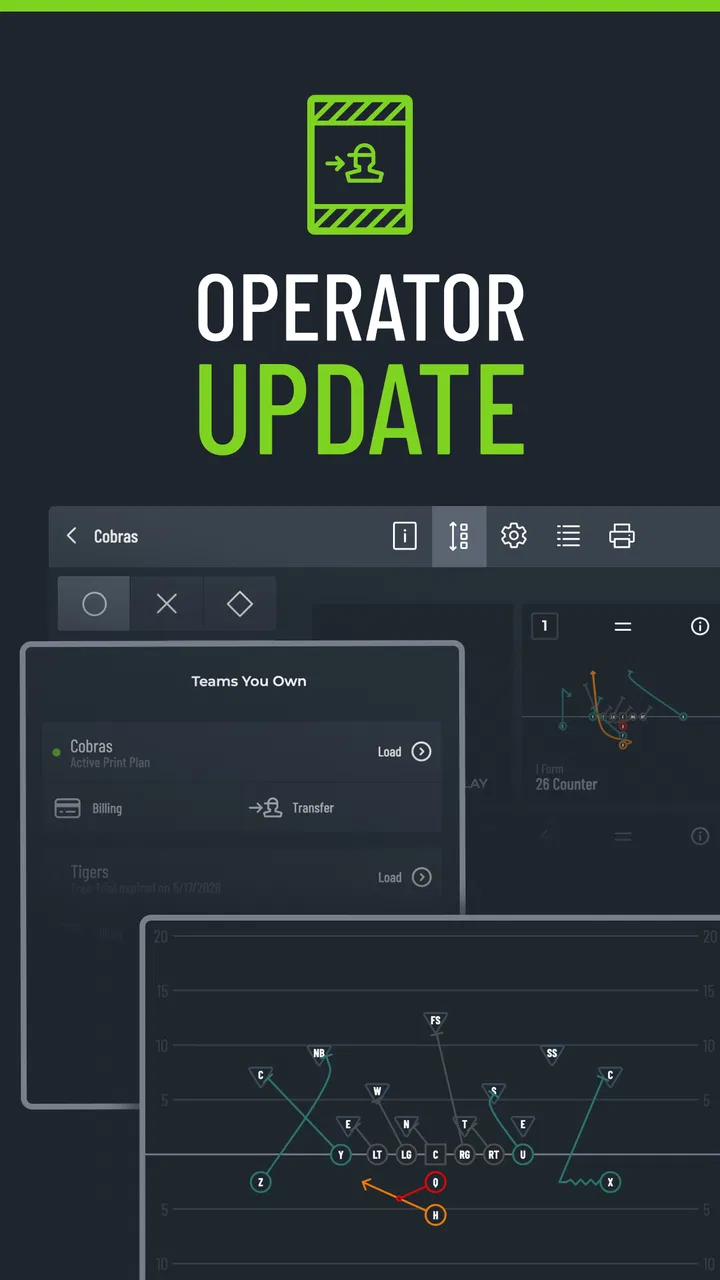
The most useful way to think about this app is as a digital workspace for tackle-football playbook preparation. Instead of sketching formations on loose paper, taking photographs of a whiteboard, and later trying to recreate everything for printing, I can use the app as the central place for drawing and preparing plays. That is especially helpful when a team’s ideas change often during a season.
It is not trying to be a general sports news feed, a live-score service, or a broad fitness platform. The category is sports, but the experience is much narrower: it is aimed at the person who needs to communicate football assignments clearly. A coach preparing for the next practice can work on formations, routes, blocking concepts, and defensive looks in one dedicated environment instead of adapting a generic drawing app.
That distinction matters because generic note-taking and drawing tools may be flexible, but they rarely understand the way a football playbook is organized. A blank canvas gives you freedom, yet it also leaves you responsible for creating your own symbols, labels, and visual habits. A football-specific tool reduces that setup work and makes the finished material easier to recognize as a play rather than an improvised diagram.
Where it helps during a normal week
A realistic use case is a youth or school coach who leaves practice with several adjustments in mind. Perhaps a sweep needs a different blocking angle, a receiver’s route has changed, or the team wants a simpler version of a formation for younger players. With paper, those changes can become a stack of crossed-out diagrams. With a dedicated playbook app, the coach can revise the visual plan before the next session and prepare a cleaner version for players.
I also see value for assistants. One coach can work on offensive concepts while another prepares defensive material, then both can use the resulting diagrams when discussing assignments. The app’s printing focus is important here: not every player studies comfortably from a phone screen, and a printed wristband or handout can be faster to consult during a noisy practice.
The wristband angle is more practical than it may sound. A wristband is not just a smaller playbook; it is a quick-reference system used when players need information without carrying a full sheet. Preparing that material digitally can reduce the awkward step of shrinking and rearranging diagrams manually. The trade-off is that a wristband has limited space, so the coach still has to decide which information belongs there and which details should remain in the full playbook.
Designing is only half the job
One thing I would keep in mind is that drawing a play does not automatically make it teachable. The strongest result comes when the diagram is paired with a consistent naming system and a short explanation of each player’s responsibility. If every play uses different labels or visual conventions, the app cannot solve the communication problem by itself.
My practical advice is to establish a team style before creating a large collection. Use the same color logic, terminology, and order of information from the beginning. Put the formation and motion in a predictable place, keep assignments readable, and reserve the smallest printed formats for the information players truly need at a glance. This is one of the less obvious benefits of using a dedicated playbook workflow: it encourages coaches to think about presentation, not only tactics.
What the version information tells me
The current version is 1.9.0, while the app was released on April 20, 2020. That combination suggests a product that has had time to mature beyond its initial launch rather than a brand-new experiment. I would not treat the version number as proof that every coaching workflow is polished, but it does make the app easier to approach as an established tool.
For existing users, a later version can mean that the app’s basic direction has remained stable while its day-to-day behavior has been refined. That is useful for a coaching staff that does not want to rebuild its process every few weeks. At the same time, version history alone does not tell me how extensive any individual change was, so I would judge the app by how quickly it lets me create, revise, and prepare material now.
The important current evidence is the combination of its specialized purpose, its established release history, and its continuing availability. Expectations should remain separate from that evidence. I would hope to see continued attention to workflow speed and print preparation, but I would not assume a particular future feature simply because it would be convenient.
How it compares with paper and general-purpose apps
Paper still has one advantage: it is immediate. A coach can draw an idea during a conversation without opening an app, choosing a tool, or thinking about formatting. A whiteboard is also excellent for group discussion because everyone can stand around it and make changes together. If your team creates only a handful of simple plays and rarely needs a clean archive, paper may be the better choice.
Generic drawing apps offer more creative freedom and may suit coaches who want complete control over layout. They can also be useful when a staff already has a preferred template or needs to combine football diagrams with unrelated documents. The downside is that the coach has to build the football-specific workflow manually, including symbols, organization, and print preparation.
Tackle Football Playmaker X makes the most sense in the middle. It is more structured than a blank drawing surface but more focused than a broad sports-management platform. That focus can save time for a coach who repeatedly creates tackle-football diagrams. It may feel restrictive, however, to someone who wants to design highly customized pages, mix many document types, or use the same app for several sports.
What existing users may notice after updating
If I were already using an older release, I would evaluate the current version through the tasks that matter on game week rather than through the version label alone. Can I open a familiar play quickly? Can I make a small correction without disturbing the rest of the design? Can I prepare a readable printed result without repeating the work in another application? Those questions reveal more than a list of cosmetic changes.
Established users also benefit from preserving a consistent archive. A team may have terminology and diagrams that players already recognize, so a change that alters the working method could be more disruptive than helpful. My recommendation would be to test the current workflow with a copy of an existing playbook before converting an entire season’s material. That is a sensible precaution for any coaching app where printed resources and player habits are involved.
New users should take a different approach. Rather than importing every idea at once, I would begin with a small practice package: a few core formations, one or two common situations, and a wristband layout that can be tested with players. This exposes readability problems early and prevents a coach from spending hours polishing a large set of diagrams that are too crowded to use.
The friction points that deserve attention
The app’s narrow purpose means it is not automatically the right answer for every football organization. A large program with a complicated administrative structure may need shared editing, centralized permissions, detailed player tracking, or broader team-management functions. Those needs go beyond the simple act of designing and printing plays, so a more comprehensive coaching platform could be a better fit.
There is also a learning curve created by the difference between a full playbook and a wristband. A diagram that looks excellent on a larger page may become hard to read when reduced. Coaches need to review the output from the player’s perspective, not just from the editor’s perspective. I would test printed samples under ordinary practice conditions and simplify aggressively when a player must identify an assignment quickly.
The free entry point is welcome, but in-app purchases range from $10.99 to $15.99 per item. That does not make the app expensive by default, yet it does mean that “free” should be understood as an opportunity to try the workflow, not necessarily as a promise that every useful part of a larger process will cost nothing. Before building the team’s entire system around it, I would check which parts of the workflow require an additional purchase and whether those parts match the staff’s actual needs.
Another limitation is audience size. A quarterback or player who only wants to study assignments may find a coach-oriented design tool more involved than necessary. Likewise, a casual fan has little reason to install it. The app earns its place when someone is actively constructing or preparing football material; outside that situation, its specialized nature becomes unnecessary complexity.
Three practical habits that make it more useful
First, separate teaching diagrams from reference diagrams. A teaching version can include more explanation and visual guidance, while a wristband version should contain only what a player needs immediately. Trying to make one diagram serve both purposes usually creates clutter. Building the two versions intentionally is a small workflow change, but it can make practices much smoother.
Second, use scenario-based organization instead of storing plays as an undifferentiated collection. Grouping material by down, distance, field position, or practice objective helps a coach find the right concept under pressure. Even if the app gives you the drawing tools, the quality of retrieval depends on how thoughtfully the playbook is arranged.
Third, review diagrams with someone who did not create them. The person who drew a play already knows what every line means and may overlook ambiguity. An assistant coach or player can reveal whether motion, blocking direction, and route paths are immediately understandable. This simple review step is especially valuable before printing wristbands, where there is little room for explanatory text.
A fourth habit is to keep a stable master version and create temporary practice variations. Coaches often experiment during the week, and mixing experimental diagrams with the team’s established material can cause confusion. Treating the playbook as a controlled reference rather than a pile of sketches makes revisions easier to manage and gives players a clearer source of truth.
Who should use it, and who should pass
I would recommend it to youth coaches, school teams, volunteer assistants, and smaller programs that want a more organized alternative to hand-drawn diagrams. It is also a good match for a coach who frequently prints playbook pages or wristbands and wants those tasks connected to the design process. The app’s free price makes experimentation less risky, while the Everyone rating keeps it approachable for a broad coaching environment.
I would be more cautious if your priority is live collaboration, deep team administration, or a complete training ecosystem. In those cases, a general coaching suite may justify its extra complexity. I would also skip it if you only need an occasional sketch; a notebook or whiteboard will probably be faster.
For a player, the answer depends on the role. A team captain helping organize concepts may find it useful, but a player who simply needs to receive assignments may prefer whatever communication method the coaching staff already uses. This is fundamentally a creation and preparation tool, not an entertainment app or a replacement for on-field instruction.
What I would watch as the product continues
For future development, I would pay closest attention to improvements that reduce the distance between designing a play and using it in practice. Faster editing, clearer organization, dependable print preparation, and better handling of small wristband layouts would have more value to me than decorative additions. Those are the areas where a specialized football tool can genuinely outperform paper and generic drawing software.
I would also watch how well the app serves teams that grow from a handful of plays into a substantial playbook. A beginner-friendly workflow is useful at the start, but long-term value depends on keeping a large collection understandable. Coaches should look for signs that the current product continues to support that progression without making simple changes feel cumbersome.
My overall view is positive, with an important qualification: this app is valuable because it solves a specific coaching problem, not because it tries to do everything. The current release presents a focused way to prepare tackle-football diagrams, printed playbook material, and wristband references. In my experience, that can replace a messy combination of paper sketches and generic design tools, provided the coach is willing to create a clear system around it.
My recommendation is to try it with one small, real practice workflow before committing your entire playbook. Build a few plays, prepare a compact wristband version, print or review the result, and ask whether players can understand it quickly. If that process feels natural, Tackle Football Playmaker X can become a useful part of the coaching routine. If your needs are mainly collaboration, administration, or occasional sketching, another option will likely serve you better.
FAQs for Tackle Football Playmaker X
01What is Tackle Football Playmaker X?
Tackle Football Playmaker X is a football strategy and play-design app intended to help coaches, players, and teams organize offensive and defensive ideas. It can be used to create, review, and share football plays in a visual format, making it easier to explain assignments, routes, formations, blocking responsibilities, and adjustments before practice or game day.
02Who can benefit from using Tackle Football Playmaker X?
The app is mainly useful for football coaches, coordinators, team managers, and serious players who need a convenient way to prepare or study plays. Youth, high school, and amateur teams may find it especially helpful for communicating assignments. However, beginners should expect to spend some time learning the terminology and play-design tools before creating detailed playbooks.
03Can I create and customize football plays in the app?
Yes, the main purpose of Tackle Football Playmaker X is to support customized play design. Users can normally work with formations, player positions, routes, movements, and assignment details to build plays that match their team’s system. The usefulness of the editor depends on how much control you need, so advanced coaches should explore the available symbols, drawing options, and export or sharing features before committing to it.
04Does Tackle Football Playmaker X require an internet connection?
Some functions may work without a constant internet connection, particularly when viewing plays or working with information already saved on the device. Nevertheless, internet access may be necessary for downloading the app, receiving updates, synchronizing content, sharing playbooks, or using any account-based features. Availability can also differ between the Android and iOS versions, so checking the store listing is recommended.
05Is Tackle Football Playmaker X free to download?
The download model, included tools, advertisements, and possible in-app purchases can vary depending on the platform and the current version. Before installing, review the official Google Play or App Store listing to confirm whether the core play-design functions are free or limited. Coaches should also check subscription terms carefully if the app offers premium templates, cloud storage, collaboration, or advanced export features.
Pros
- Designed specifically for American football play design and coaching.
- Supports custom formations
- routes
- assignments
- and defensive looks.
- Useful for organizing plays into a searchable digital playbook.
- Visual diagrams make concepts easier to explain to players.
- Can help coaches prepare game plans away from the field.
Cons
- Advanced features may take time for new users to learn.
- Detailed play creation can be tedious on smaller phone screens.
- Best suited to football users rather than casual sports fans.
- Playbook quality depends heavily on the coach’s own setup.
- Some tools may require a subscription or in-app purchase.

Tackle Football Playmaker X
Gallery